
CRM
Easy scheduling so you never forget to check-in with a customer.
When your company was small, you knew every customer and talked to most of them. Then routes got longer, invoices piled up, and calling customers just to check in fell to the bottom of the list. A year goes by, then two, and the only person who regularly speaks to a customer is the tech who services the system.
If that tech leaves, the customer has no relationship with anyone at your company. When the tech calls with an offer to do the same work for less, nothing keeps the customer with you.
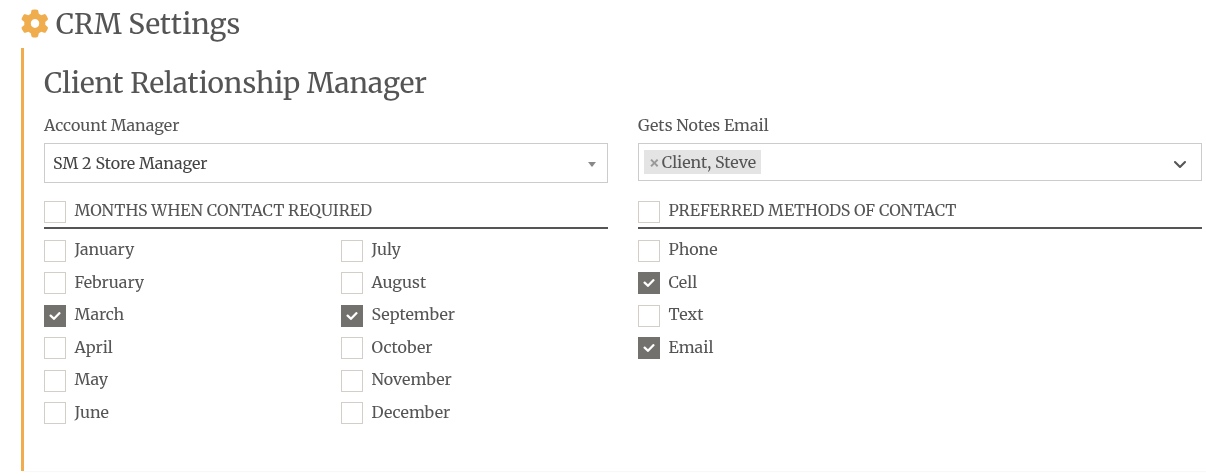
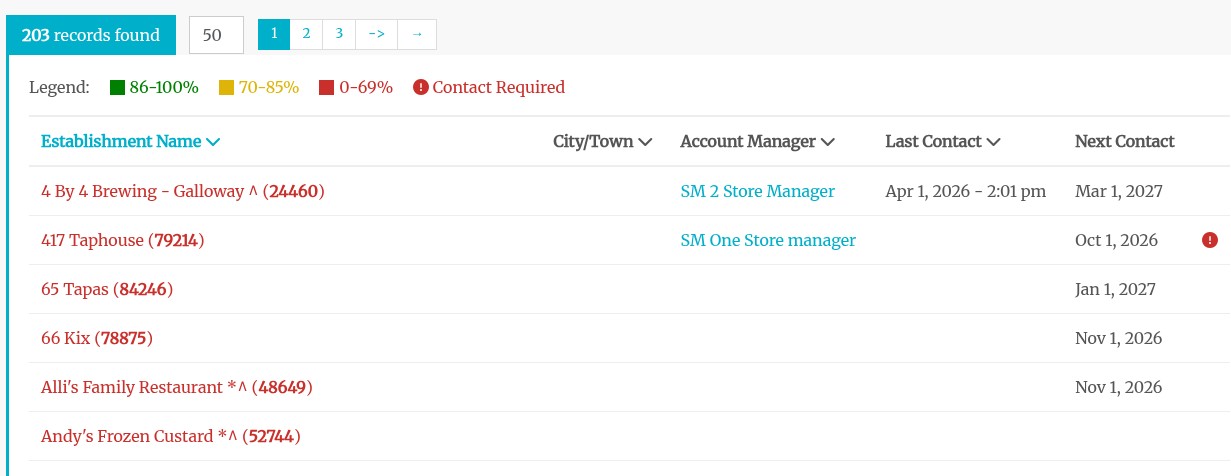
- Decide how often you want to speak with each customer. Every six months is a good starting point.
- Choose the months you want to contact each customer in Tap Trackers.
- Spread the months throughout the year so you never have every customer due in the same month.
- Log in and open the CRM section under Reports. It shows who you need to call or chat with this month.
- Filter the list by Required or Completed to see what is left to do and what is done.
- Use the drop-down list to view future months so you can see what is coming before the month starts.
- Make the calls. Ask how the beer is pouring and whether anything needs attention.
What It Means For You
You set the schedule once, and the CRM report tells you who to call each month, so you don't have to keep a list in your head. Customers who hear from you twice a year know who runs the company, and they are less likely to follow a former tech out the door.
The call is also where you hear about a slow pour or a tired system before it turns into a complaint. Those conversations lead to service calls and assessments.
If your best tech gave notice on Monday, how many of your customers could you call on Tuesday and talk to by name?
Simple Clear Pricing
Ready to put your customer calls on the calendar?
Talk to us about setting up the CRM on your account.