
Mobile App For Draft Techs
Your techs run the call on their phone.
You see what got done.
The Problem
Your techs do the work. You find out later.
When I ran my draft service company, the cleaning was never the hard part. Knowing what happened on each call was.
A tech leaves an establishment, and you hear about it by phone, by text, or when the paperwork turns up. Nobody wrote down that the walk-in was locked. The call that didn't happen has no explanation. The parts that were used never make it onto an invoice.
The app puts all of that in one place, while the tech is still at the bar.
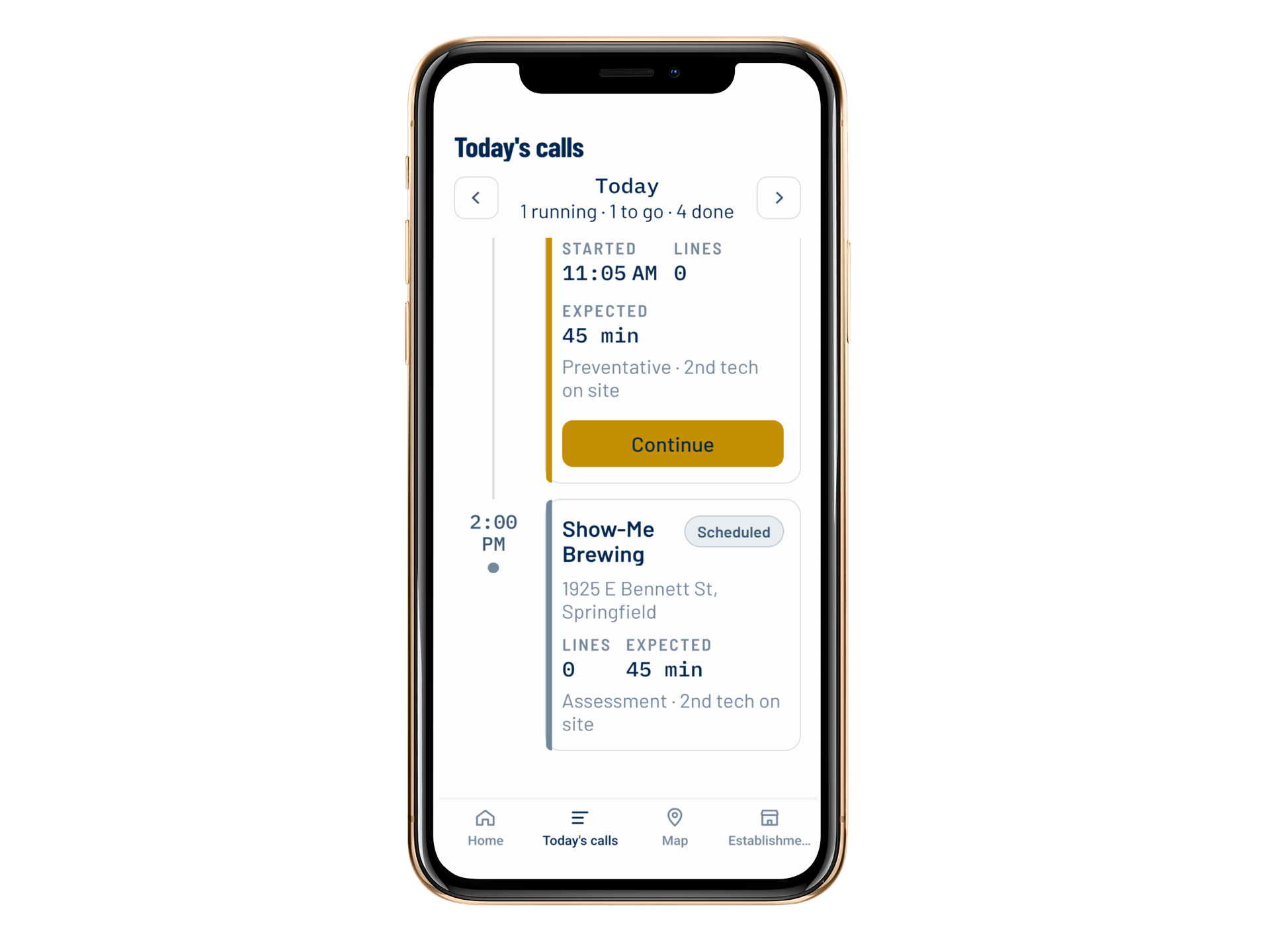 (opens in a new tab)
Home
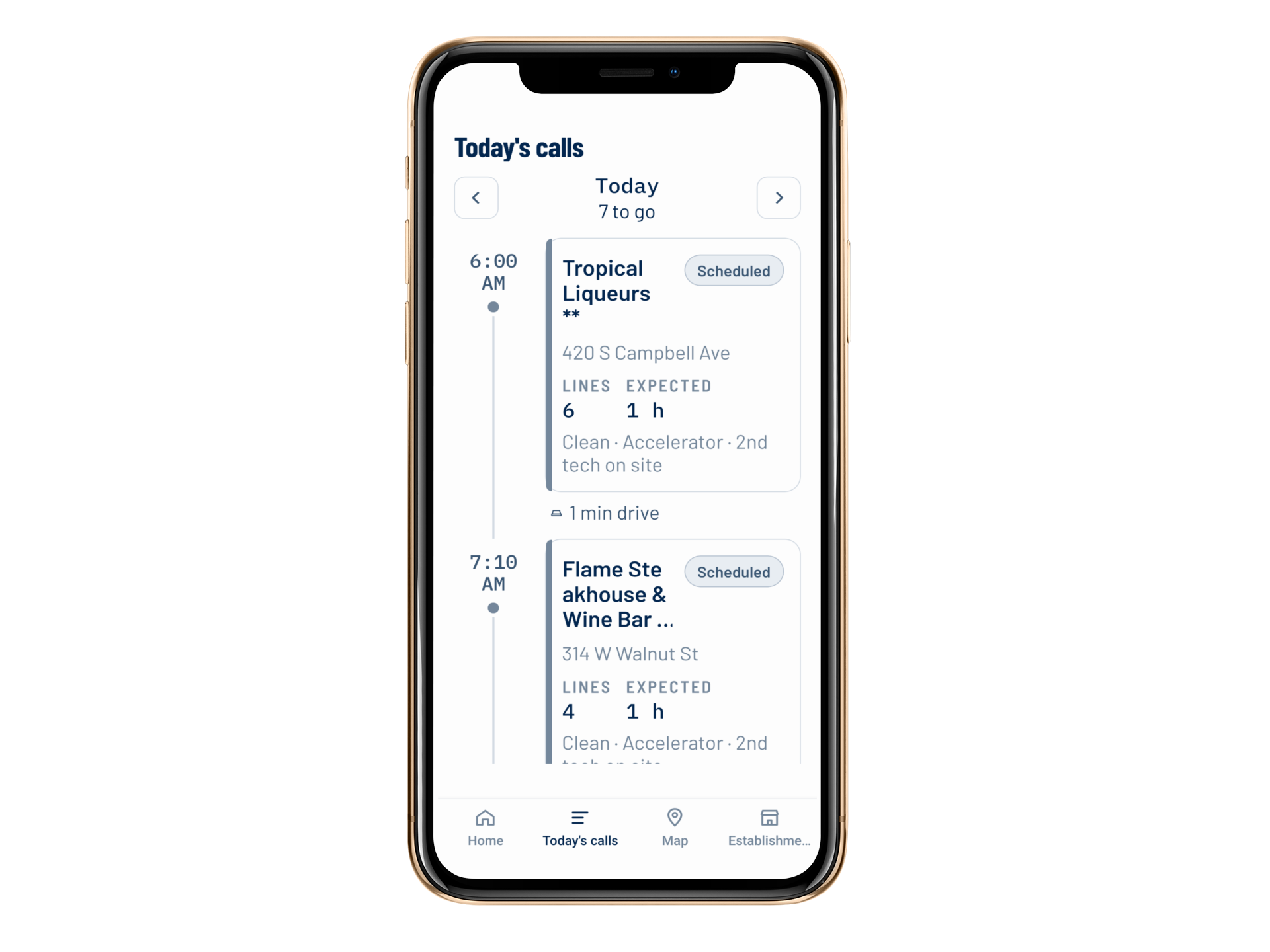 (opens in a new tab)
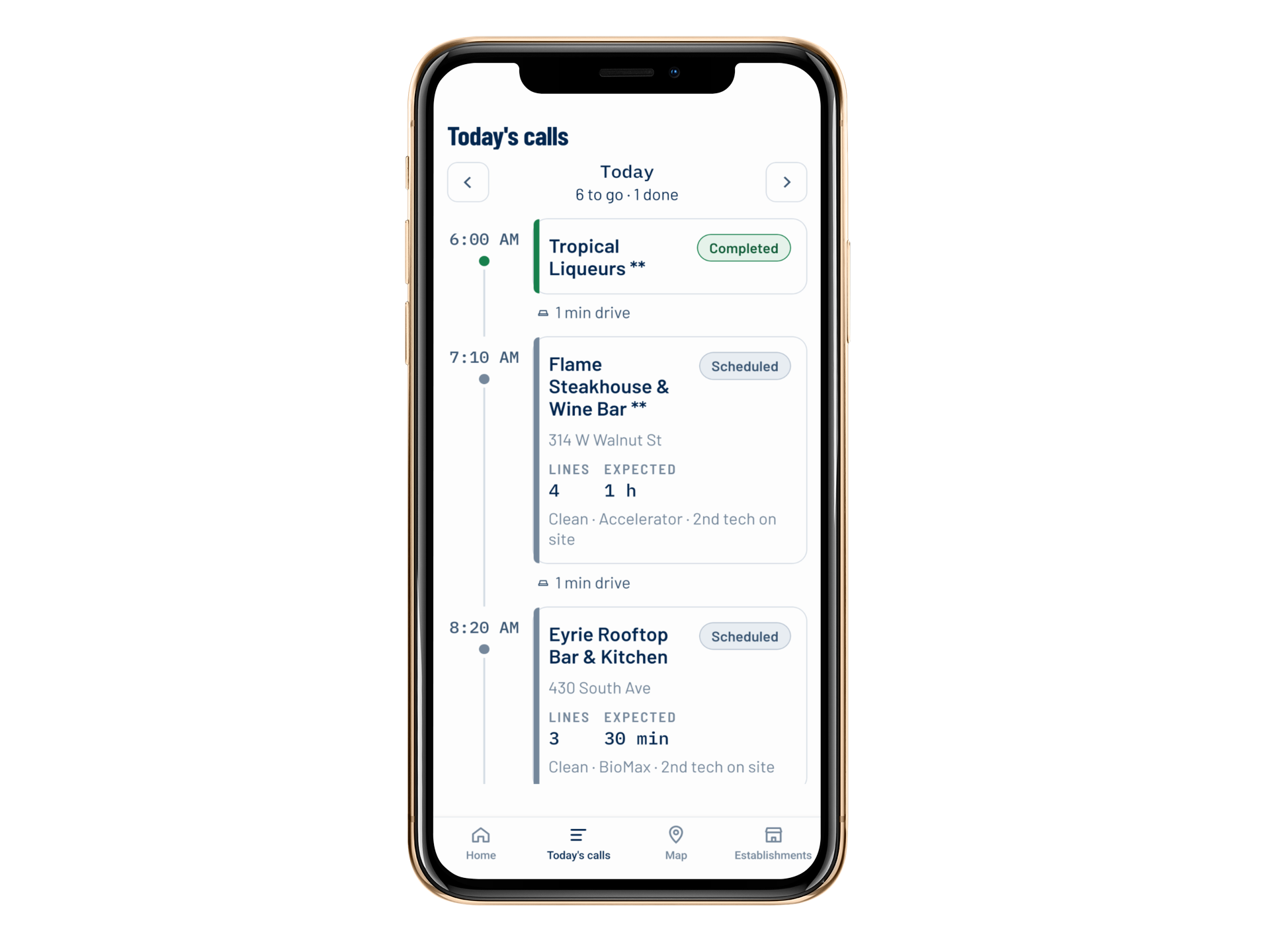
Today's Calls
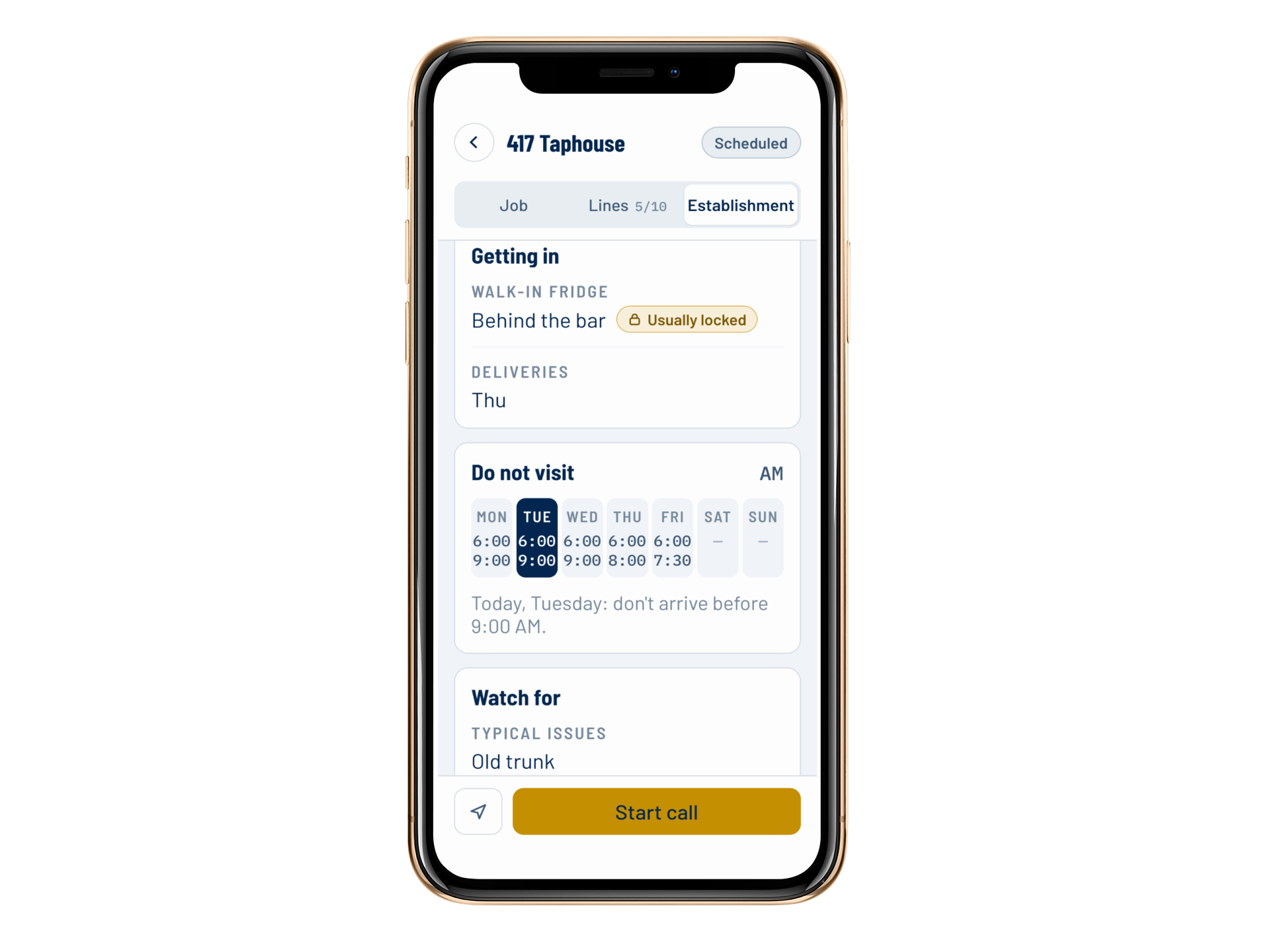 (opens in a new tab)
Establishment Details
Four Steps On Every Call
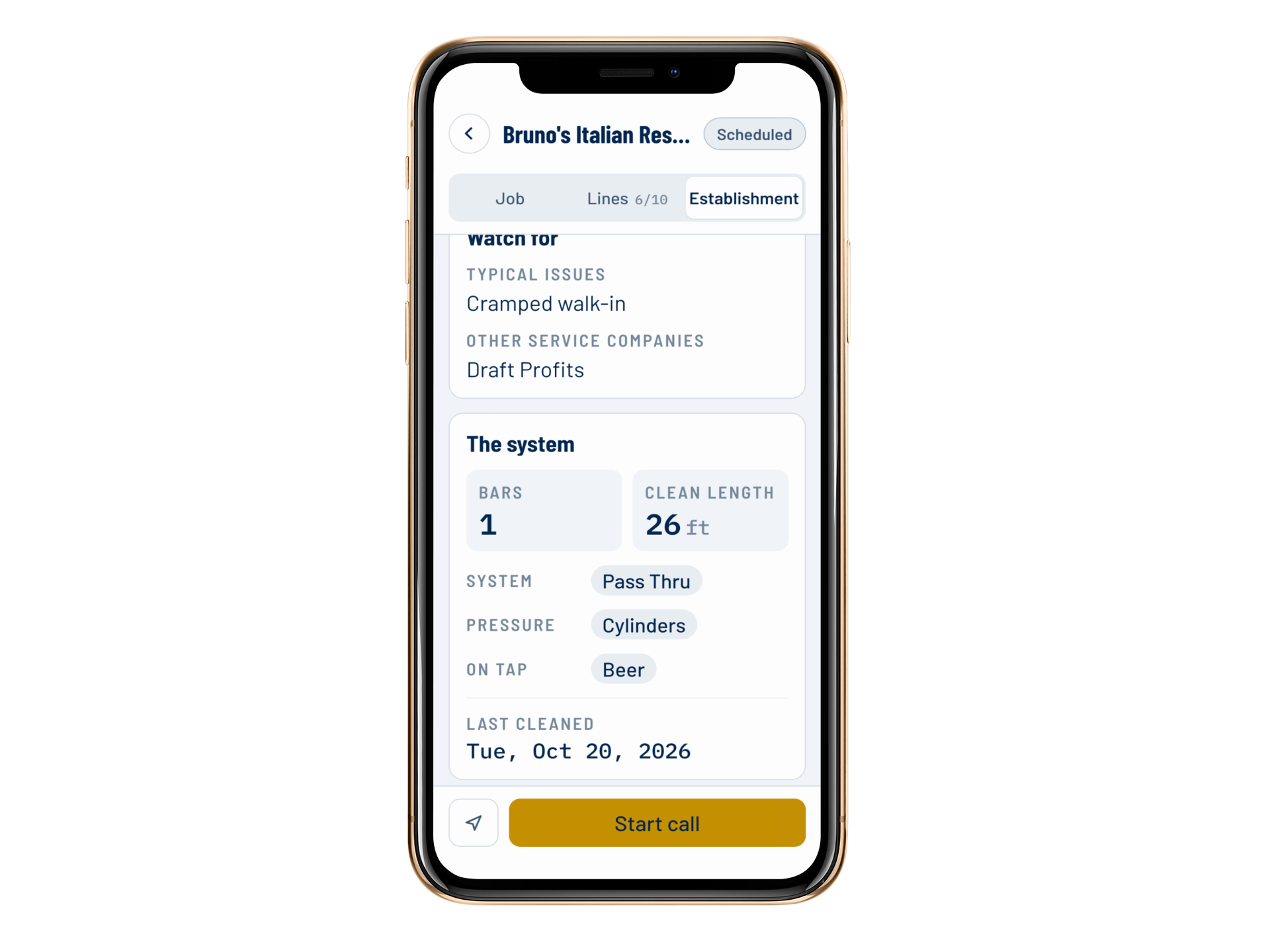 (opens in a new tab)
Arrive
The tech starts the call when they get to the establishment.
The app checks their location first, see below.
 (opens in a new tab)
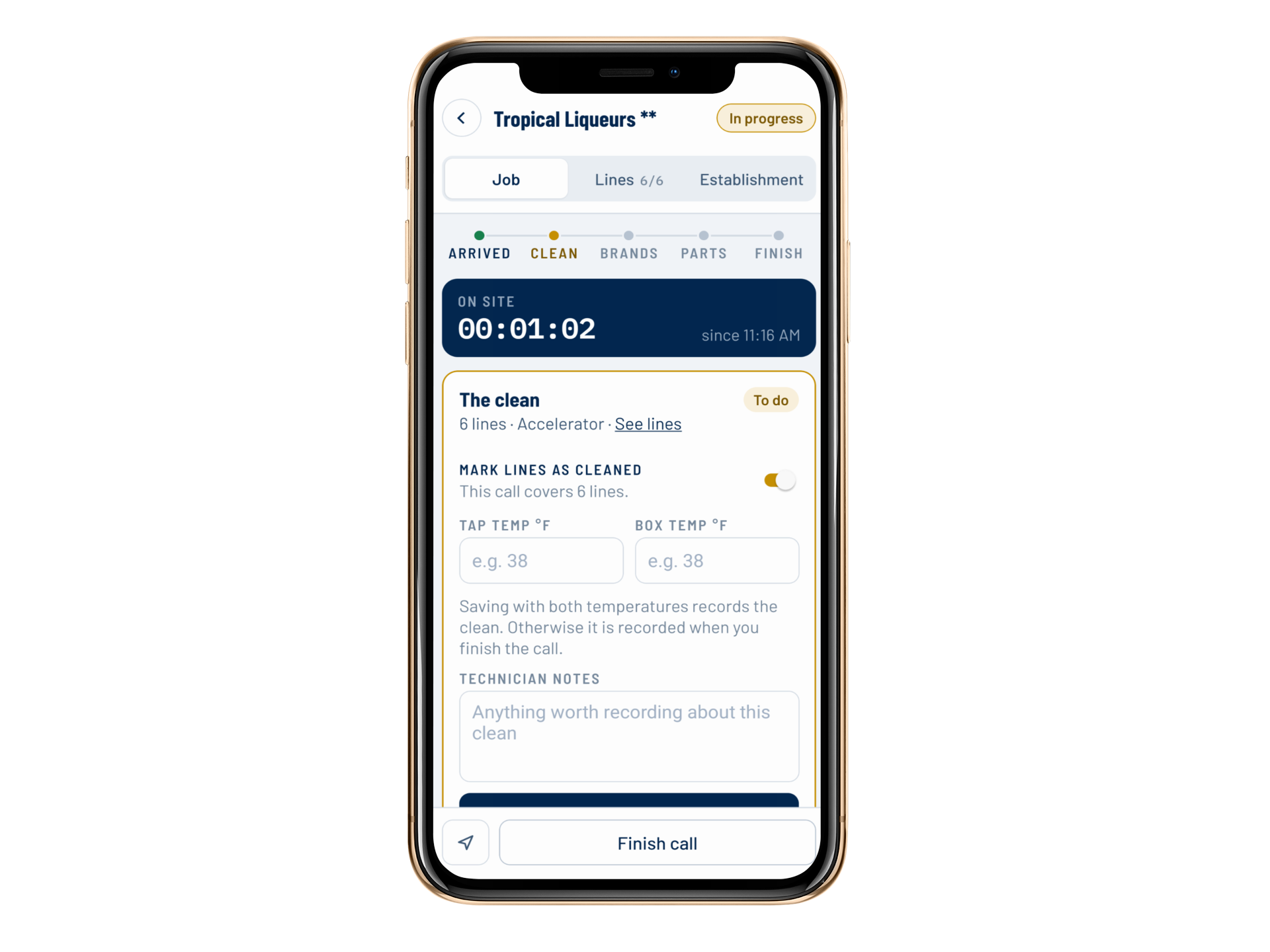
Clean
Mark the lines cleaned, record the tap and box temperatures, and add technician notes.
A progress bar at the top of the call shows the tech where they are.
 (opens in a new tab)
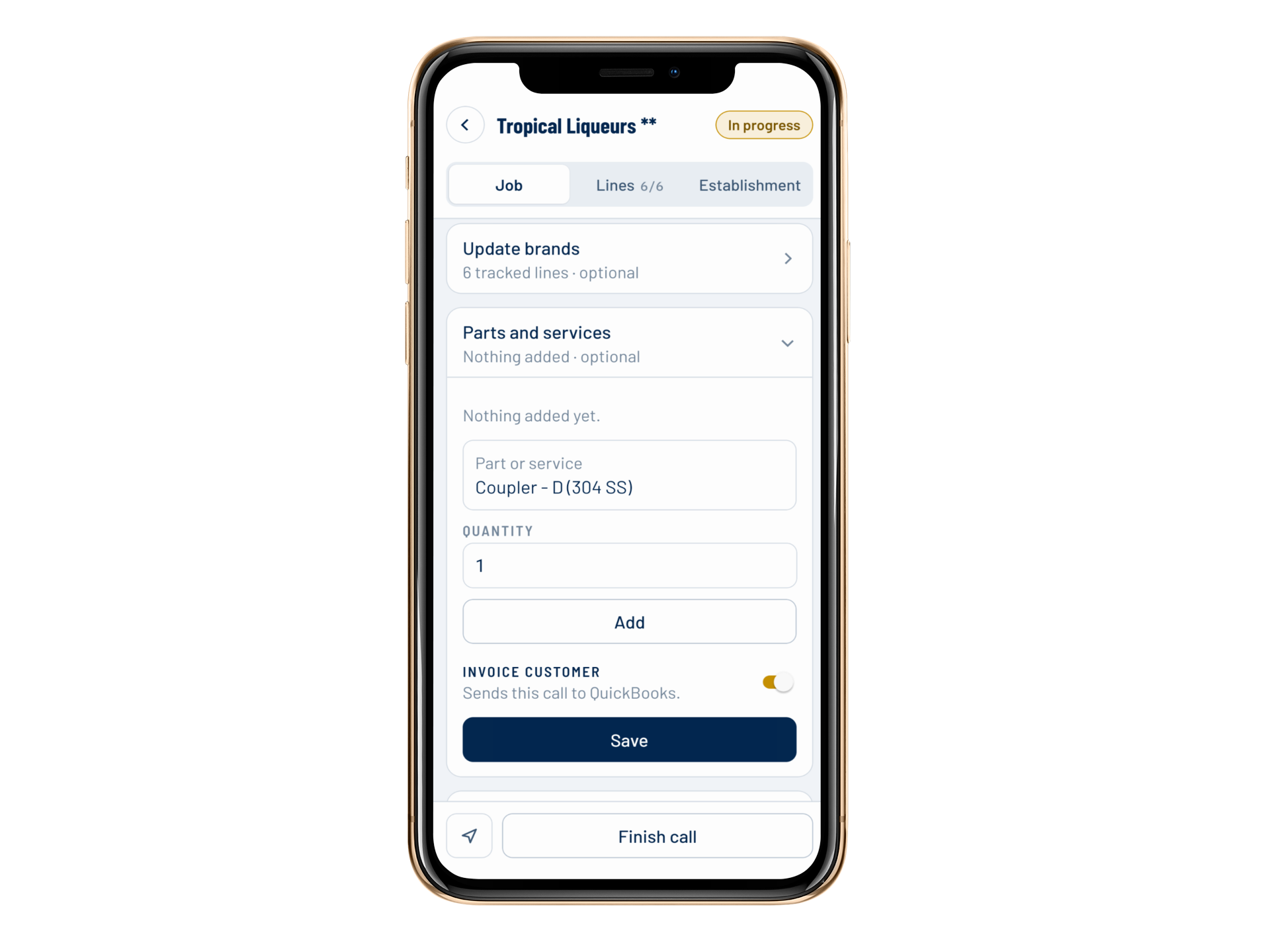
Parts
Add the parts and services used on the call. Prices and the total update when the tech saves.
Include an optional image.
 (opens in a new tab)
Finish
Finish the call to close it out.
Everything the tech entered was saved as they went.
Geofenced Arrival
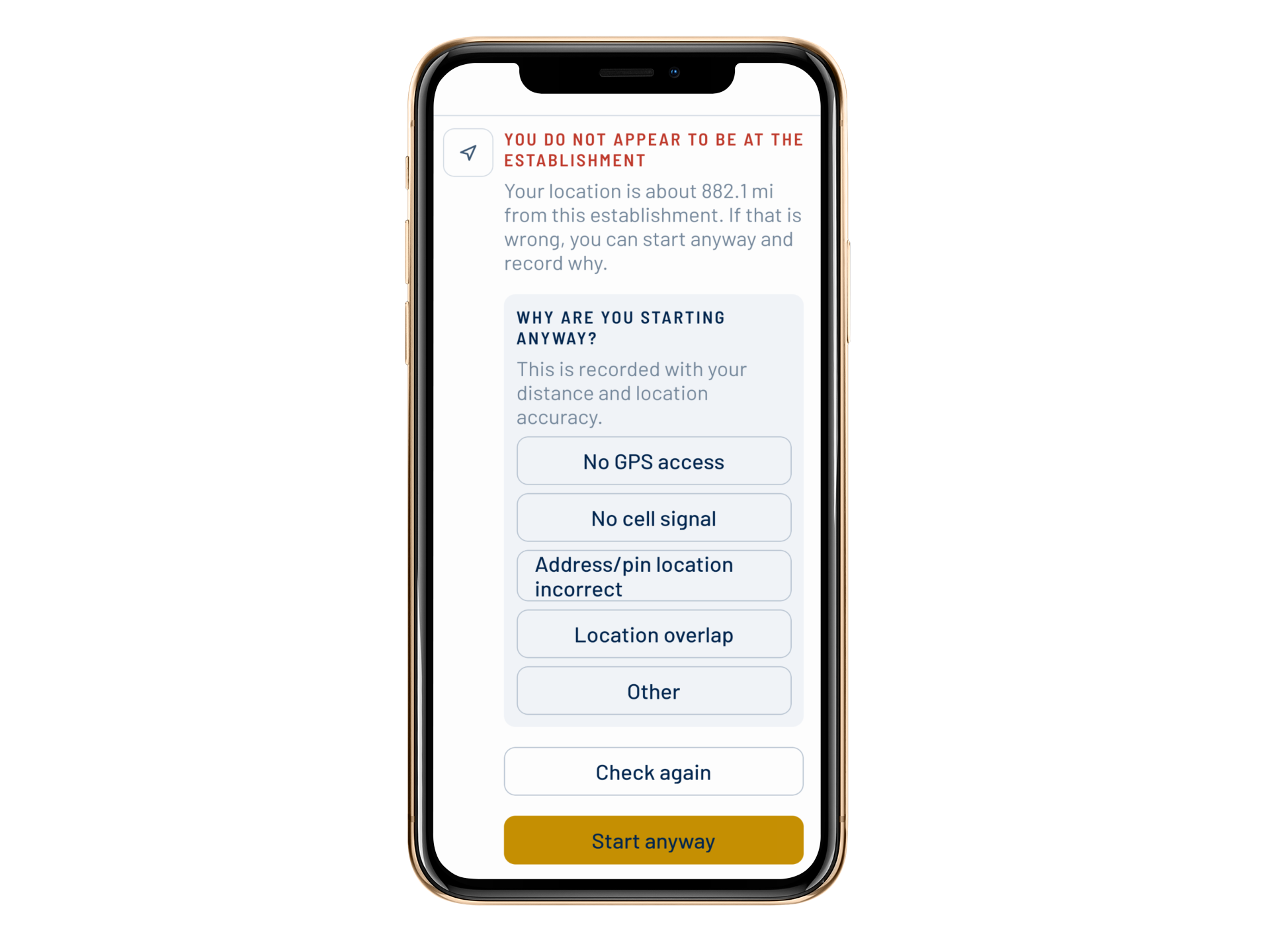
Your tech has to be at the establishment to start the call.
Before a call can start, the app checks the tech's location against the establishment's address. Every call has a start time tied to the tech actually being there (within ~500 ft/150 m).
Walk-ins and basements don't always get GPS or wifi. When the check can't confirm the location, the tech can override it, but they must provide a reason. Managers see every reason and when the override happened in the Tap Trackers admin on the web. You get a record you can trust, and your techs aren't stuck at the door.
Establishment Notes and Lines
Everything about the establishment, in your tech's pocket.
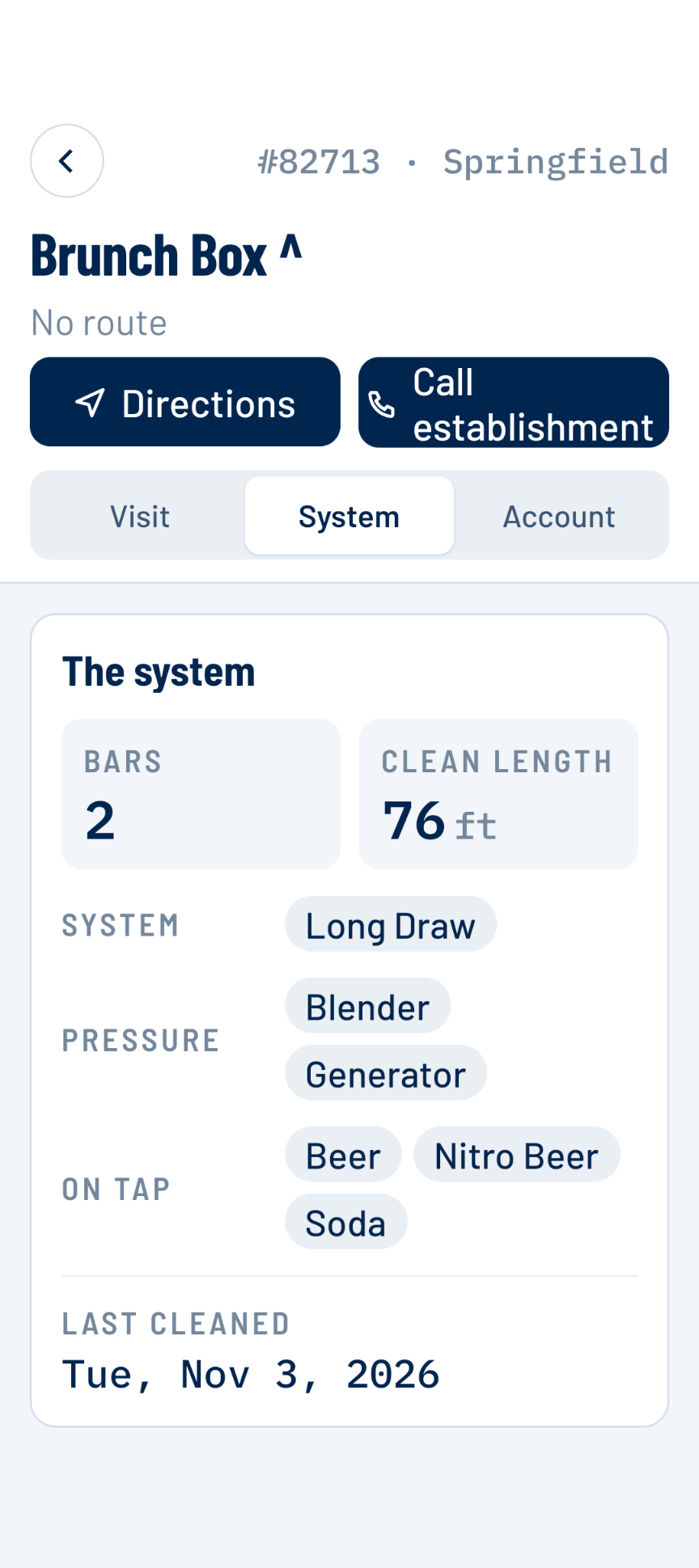
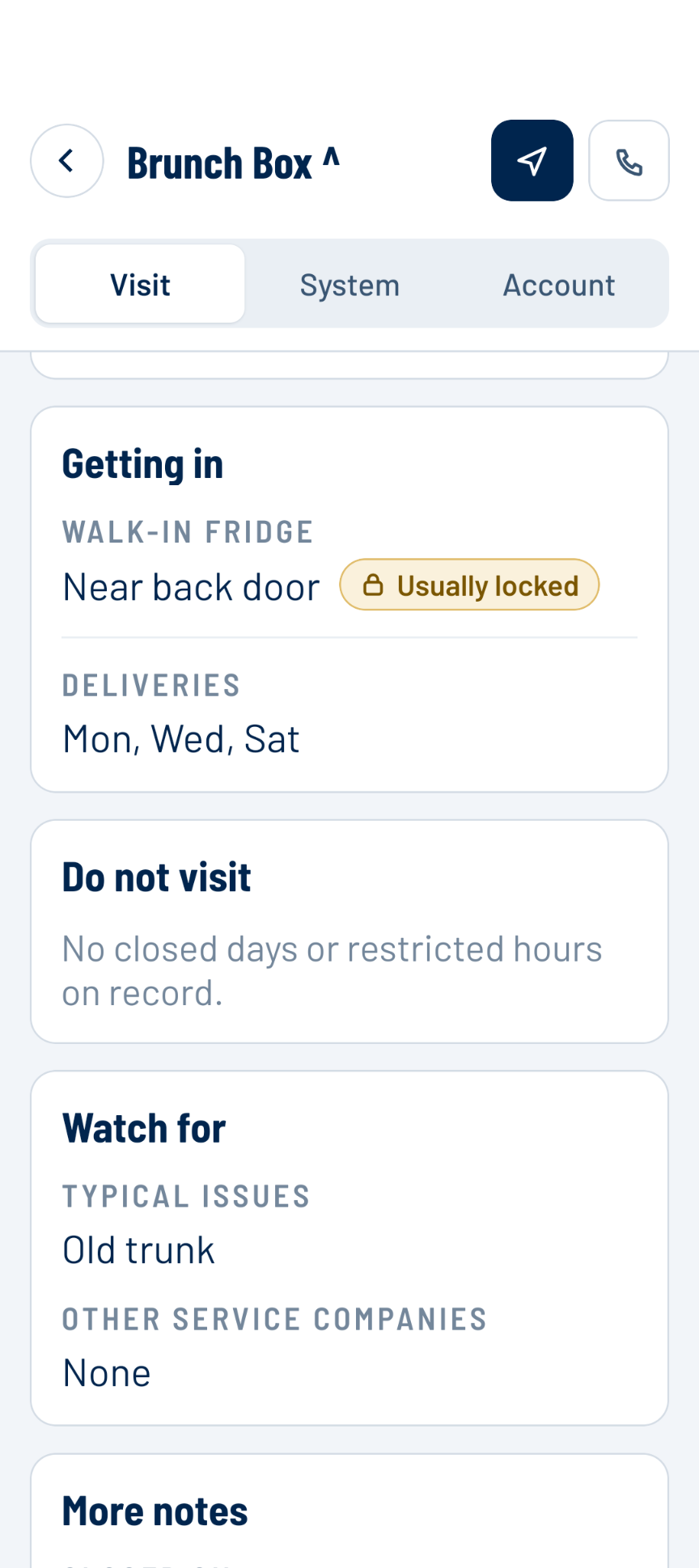
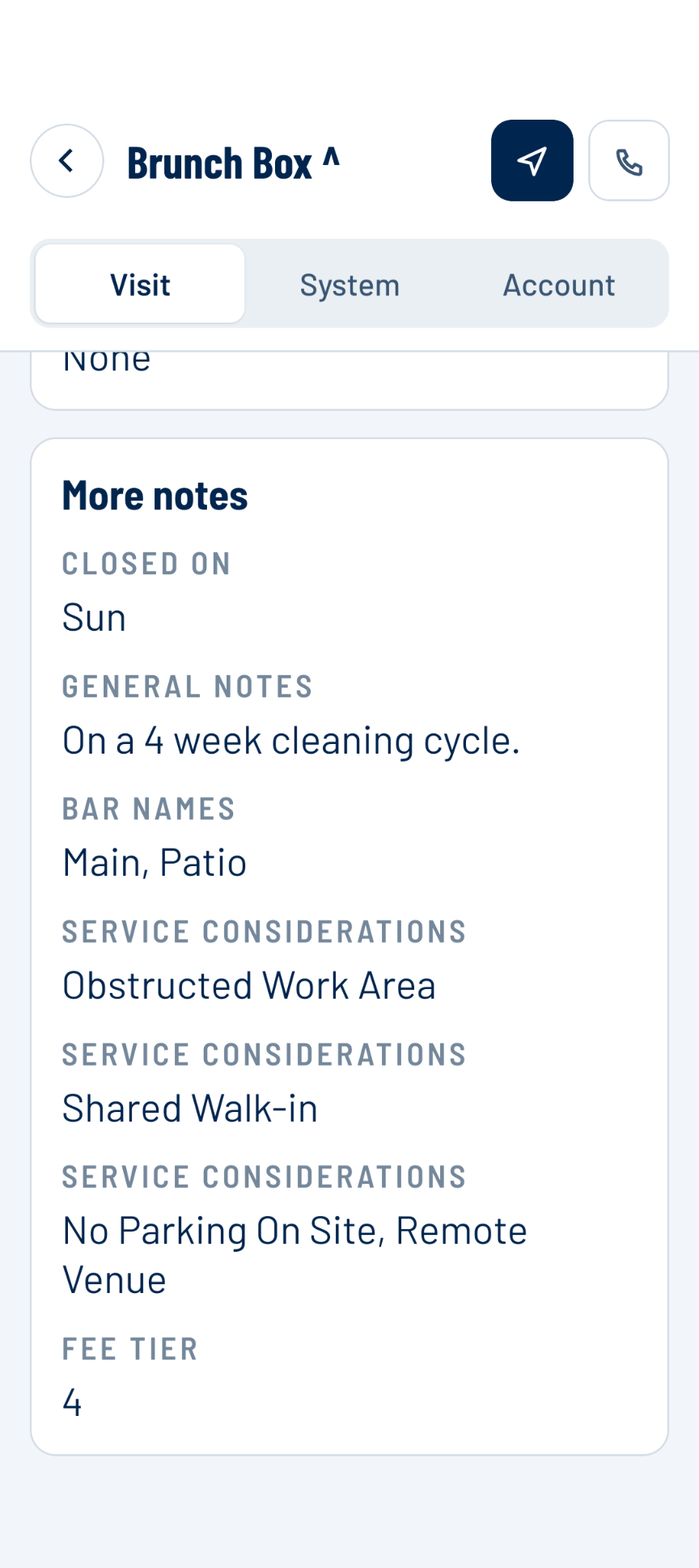
The next tech who walks in knows what the last one learned. Each establishment carries robust notes:
- Number of bars, lines, and brands on tap
- Fridge notes, such as whether the walk-in is usually locked and where it is
- Location notes, such as typical issues and any other service companies used
- Contact details, one-click call, the address, and a Directions button which opens Google Maps
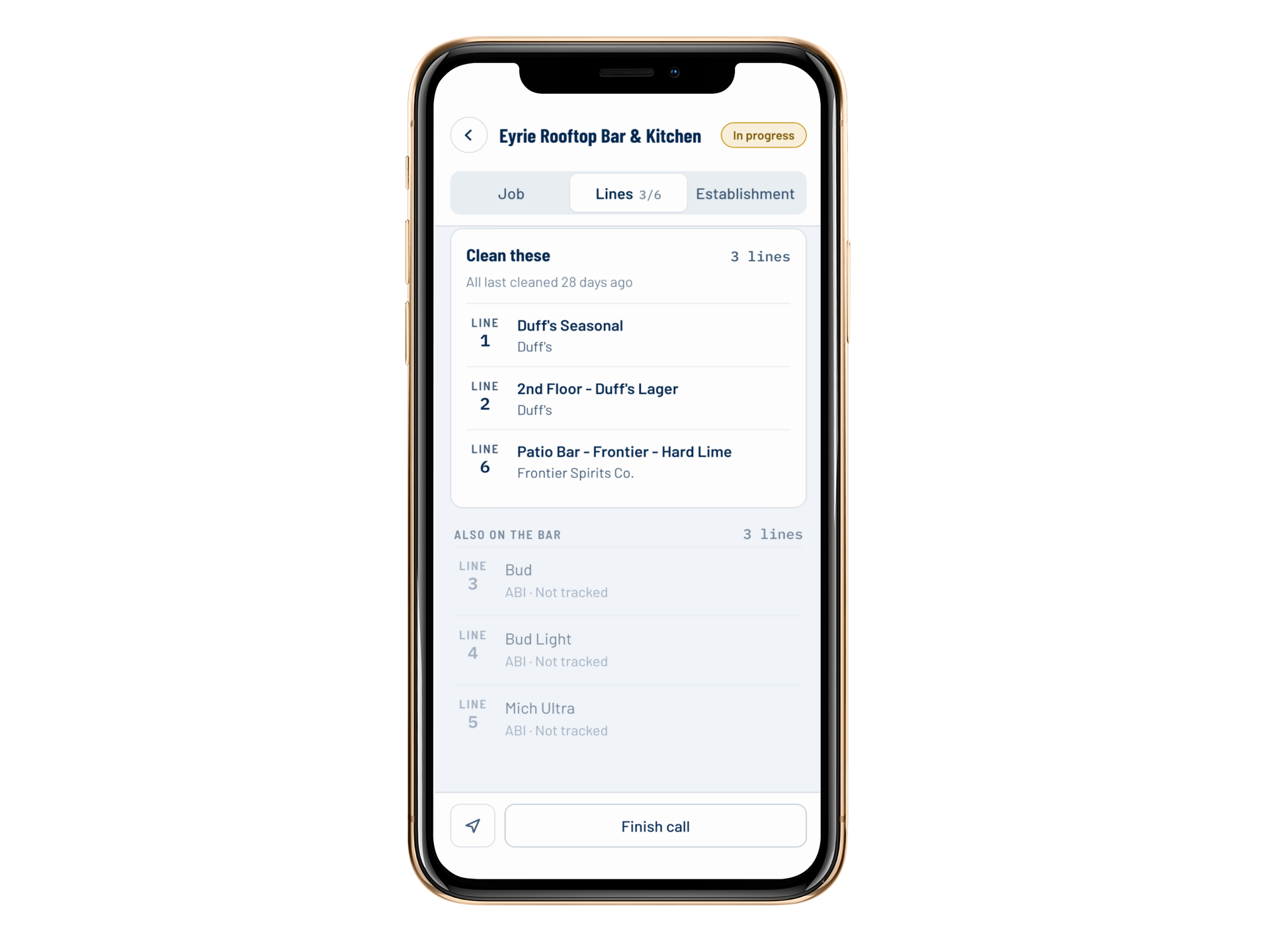
Every draft line at the establishment lists its product, brewery, and last cleaning date. Lines not tracked in Tap Trackers appear greyed out, so the tech can still see them but knows not to clean them. You don't get paid to clean competitors' lines.
Brand tracking is optional, and we don't sell your brands on tap data. You can if you'd like, but we don't.
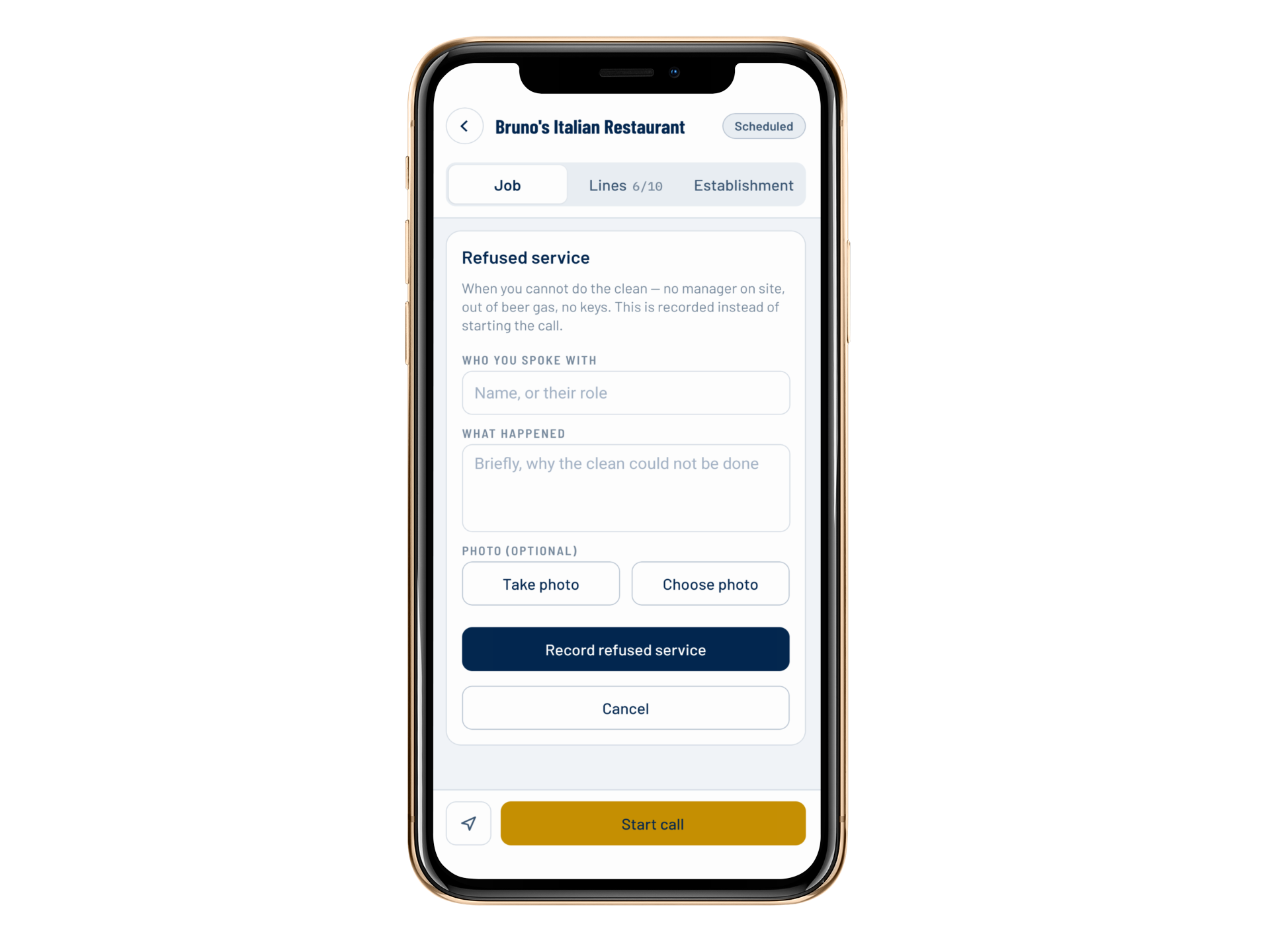
Refused Service
When a call can't happen, you find out why.
 (opens in a new tab)
No manager on site. Out of beer gas. No keys. Your tech can't do the clean, and without a record, you're left guessing.
In the app, the tech records who they spoke with and what happened, instead of starting the call. The call shows as Refused in Today's calls, so nothing is left unexplained.
Time tracking, if you want it.
Time tracking is an add-on. With it, your techs get a workday clock on the home screen and an on-site timer on every call.
Without it, techs don't see time tracking in the app at all. Add it when you need it.
Send the invoice after the call, not after you remember it.
With the QuickBooks add-on, your techs can send the invoice from the app after each call. The tech turns on Invoice customer, saves, and the call goes to QuickBooks.
Parts and services are added on the call, so what was used is what gets billed. Invoices stop waiting for someone to remember them.
Learn more about our seamless QuickBooks Integration here.
What's included and what's an add-on?
Feature | Availability |
|---|---|
| Today's calls and the route map | Included |
| The four-step call: arrive, clean, parts, finish | Included |
| Geofenced arrival | Included |
| Establishment notes and every draft line | Included |
| Refused service records | Included |
| Record parts, services and photos | Included |
| Invoicing from the app (QuickBooks) | Add-on |
| Workday clock and on-site timer | Add-on |
See if Tap Trackers is a fit for your company.
Book a 20-minute online demo or a 10-minute call.